

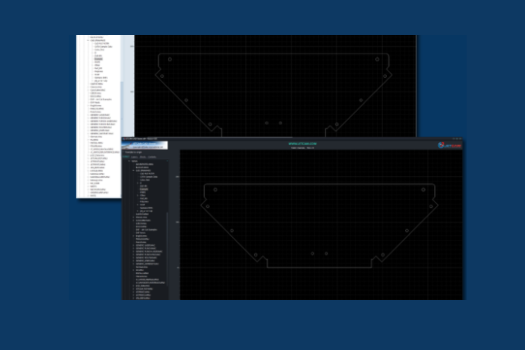
JETCAM, a global leader in advanced manufacturing software, has released version 4 of its free CAD Viewer, introducing a range of new features and usability enhancements. The update offers faster, more intuitive viewing of 2D CAD files on Windows PCs, delivering an improved and more efficient user experience.
The new release focuses on improving functionality and providing a better interface experience. Key enhancements include:
- Automatic Dark/Light Mode: Adapts to your Windows theme for a seamless viewing experience.
- 32-bit and 64-bit Versions: Choose the version that suits your system. The 64-bit version supports larger memory loads—ideal for managing folders with many component files.
- Layer Visibility Control: Show or hide individual layers in DXF and JETCAM files, making it easier to isolate and inspect key data like bend lines.
- Raw Data Viewing: Access block and raw content data from DXF files for in-depth analysis.
- JETCAM Integration: Right-click on a JETCAM component to instantly open it in JETCAM Expert (when set as default).
ChatGPT said:
The JETCAM CAD Viewer is a lightweight application that consumes minimal memory and disk space. Designed to work alongside existing CAD/CAM software, it enables quick, one-click access to view CAD files. The viewer is offered free of charge, provided “as is” without warranty, and can be installed on an unlimited number of computers.
Key benefits of the JETCAM CAD Viewer include:
- Completely free: No ads, no spyware, no internet connection required.
- Lightweight performance: Uses under 100MB of memory.
- Easy file navigation: Includes a tree view for local and mapped network drives.
- Instant previews: Displays thumbnail images of supported 2D CAD files including JGF, DWG, DXF, and IGES.
- Customisable default viewer settings: Set as the default viewer for specific file types during installation.
- Precision tools: Built-in measurement tools display part scale, with pan and zoom of vector view.
Martin Bailey, Managing Director of JETCAM, said; “The CAD Viewer is an essential install for anyone that frequently works with CAD files. It installs within seconds, needs no setup, and is extremely quick to use. This update makes it even more powerful and user-friendly.”
The JETCAM CAD Viewer does not require any CAD packages to be installed to display thumbnail images. It is compatible with Windows 10 or above, and requires less than 100MB of hard disk space, and XGA graphics (1024×768) or above.